Coaching works better when the completed work is still attached to the plan.
Coaching access is currently granted and managed administratively. Approved coaches can assign training, review permitted results, manage check-ins, and share feedback inside the same system the member uses to log workouts.
An invitation does not open a member’s records.
The relationship becomes active only after the member accepts and explicitly agrees to share supported coaching data. Until then, the coach receives no client training records.
Invite and accept
An administrator-approved coach with Coaching access invites an eligible member. The member can consent to share all supported coaching data or decline.
Clear sharing scope
Supported coaching data includes workout history, body stats, and training profile information. Contact details and free-text workout/body-stat notes are excluded.
Turn sharing off
A member can turn all coaching-data sharing off or end the relationship. Either action prevents further coach review of client records.
See the client picture before deciding what needs attention.
The coach workspace keeps relationship status, adherence, recent activity, assigned training, and structured check-ins within reach.
The screenshots use generic client labels for privacy. Access still depends on approval, an active coaching relationship, and the member’s consent.
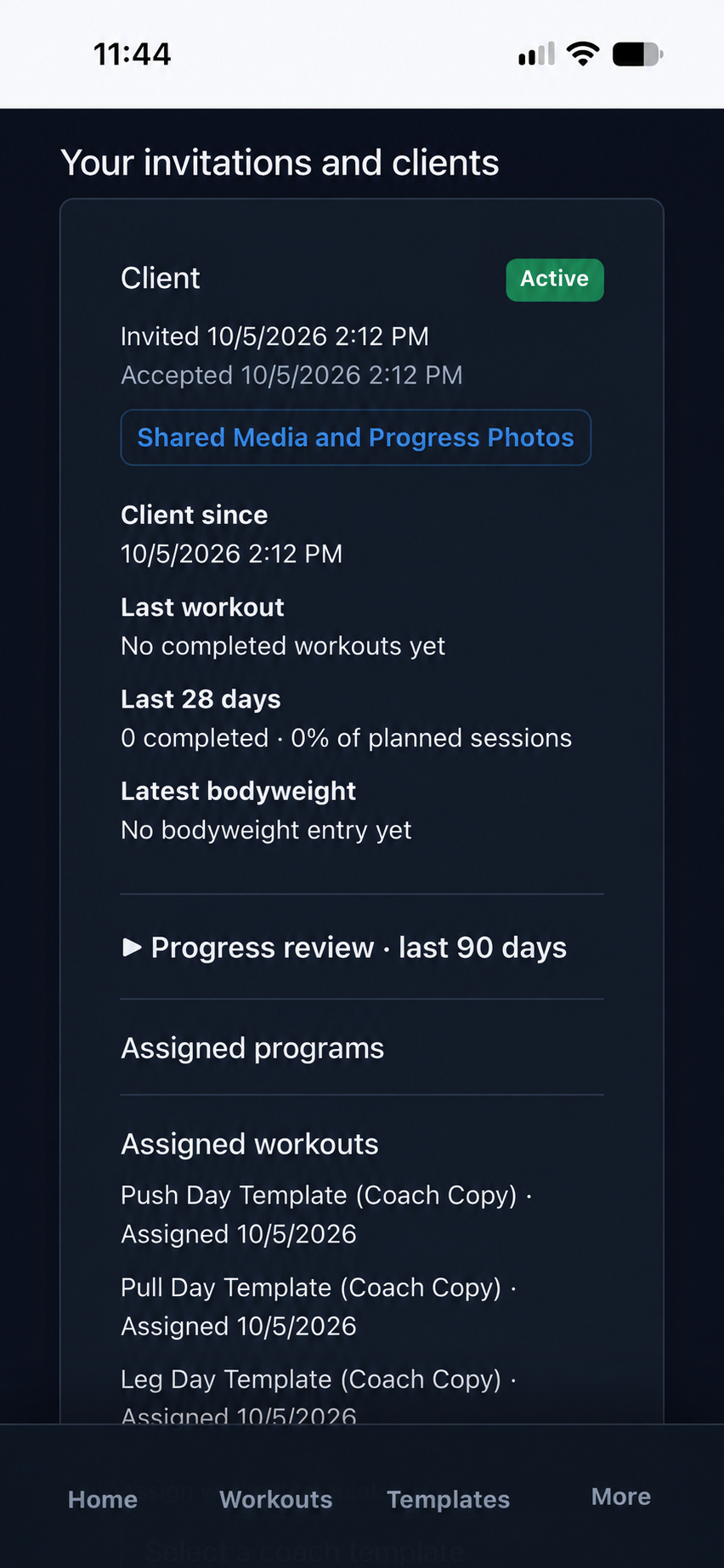
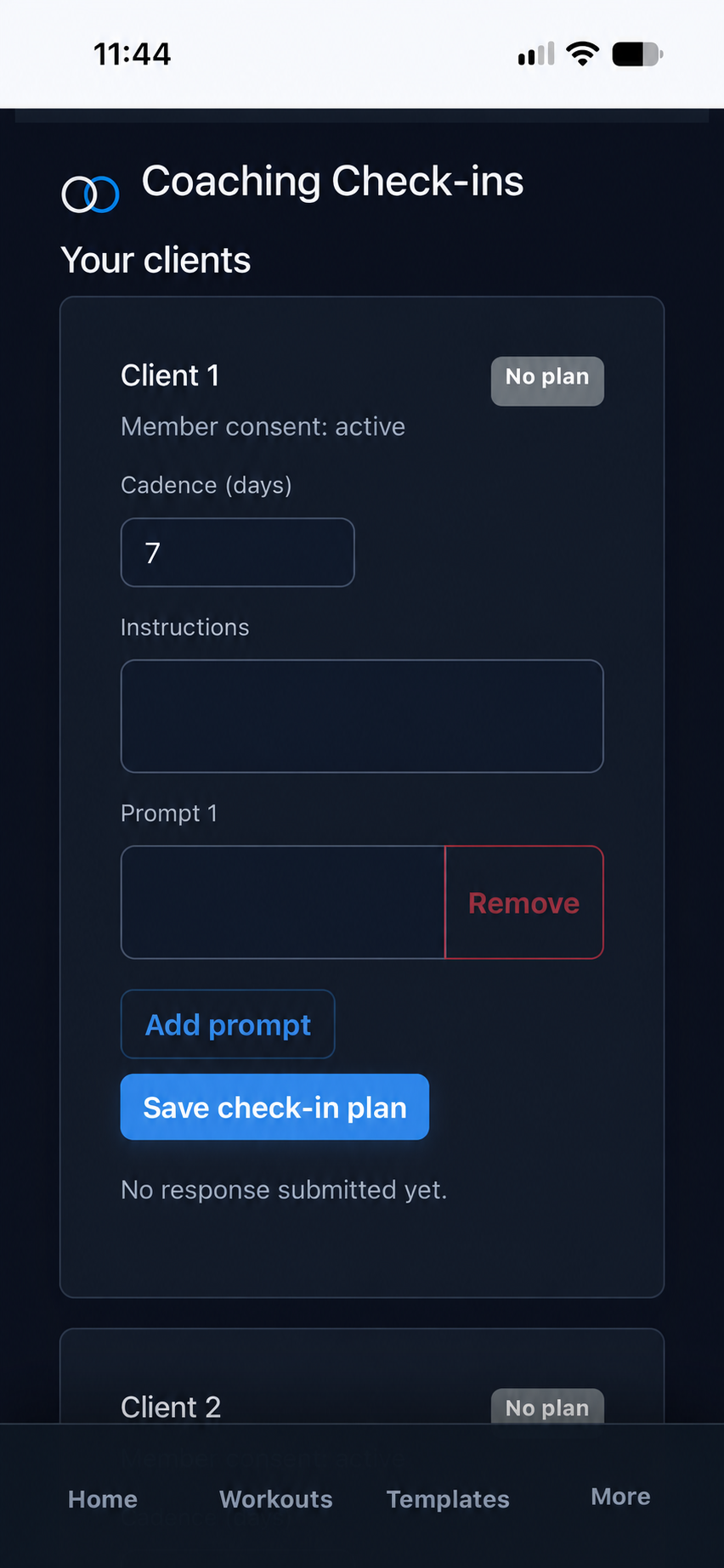
Client roster overview
With the required consent, coaches can see recent workout activity, 28-day adherence, relationship timing, and bodyweight trends.
Assigned workouts
Coaches can assign a private workout template. The member receives a separate assigned copy and owns the resulting sessions and history.
Assigned programs
A coach can assign a client-specific program snapshot with its templates and exercises. The member launches scheduled sessions from the app.
Member-approved updates
A coach can offer a new program version. The member reviews it and chooses when to apply it; completed workout history stays unchanged.
Training review
With Workout History shared, coaches can review 90 days of completed sessions, strength estimates, weekly volume, average RPE, and assigned-program adherence.
Notes and feedback
Private coach notes remain visible only to the coach. Shared feedback is intentionally separate and remains available to the member.
Make follow-up a repeatable workflow instead of a loose conversation.
Eligible members and approved coaches can use scheduled prompts, member responses, recovery entries, messaging, and follow-up notices inside an active coaching relationship.
Versioned check-in plans
Coaches can set a 1–90 day cadence, instructions, and a focused prompt set. Later edits create a new version without changing earlier responses.
Member response workflow
Members can submit a check-in when it is due and correct their latest response until the next due date while retaining their own history.
In-app reminders
A Dashboard alert and Training-menu count show when a check-in is due and clear after submission. Email and push reminders are not included.
Existing consent applies
No separate check-in permission is required. Coach access requires an active relationship with coaching-data sharing enabled and stops when consent is revoked or the relationship ends.
Clear boundaries
Check-ins remain separate from private coach notes and shared feedback. A missed check-in is not treated as a medical or safety conclusion.
Export and retention rules
Member exports include their responses. Coach exports include plan and prompt versions, not client answers, and account deletion removes associated records.
Access depends on approval, entitlement, relationship status, and consent.
Coach tools require a verified and approved account, administrator-approved coach status, and active Coaching access. New members receive Free access after email verification; coach approval and Pro or Coaching access remain separate. Reviews are read-only: coaches cannot edit a member's completed workouts, profile settings, or account security.